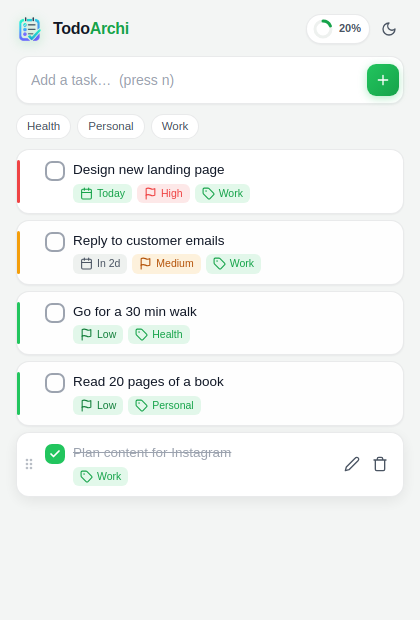
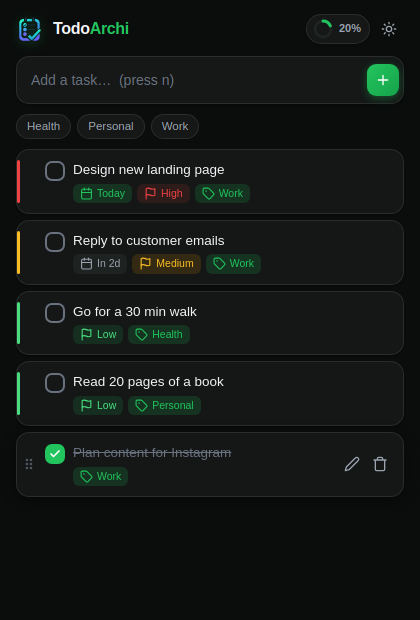
TodoArchi is a fast, beautiful todo list that lives in your browser toolbar. Capture tasks in one click — with due dates, priorities, and zero clutter.
Powerful enough for your busiest weeks, simple enough to open a hundred times a day.
One click on the toolbar (or Alt+T) and you're typing. No tab, no load time, no friction.
Smart labels like "Today", "Tomorrow", and overdue warnings keep deadlines visible at a glance.
High, medium, and low priority with color-coded rails so the important stuff stands out.
Tag tasks by project or context, then filter with one tap on a chip.
Find any task instantly. Switch between All, Active, and Done with live counts.
Reorder your list exactly how your day should flow. Your order sticks.
A live completion ring plus daily stats that make finishing tasks genuinely satisfying.
A gorgeous dark theme that follows your system — or toggle it yourself.
Everything is stored locally on your device. No account, no servers, no tracking. Ever.
Click "Add to Chrome". TodoArchi appears in your toolbar instantly — no signup, no setup.
Open the popup, type a task, hit Enter. Add a due date, priority, or category if you want.
Check things off, watch your progress ring fill up, and end the day at 100%.
Every pixel tuned for clarity — hover to take a closer look.


Your tasks are one click away from any tab. No separate app to find, open, and wait for.
Unlike cloud task apps, TodoArchi stores everything on your device. Nothing to leak, sell, or subpoena.
Under 50 KB of code. Opens instantly, works offline, and never shows a spinner.
No premium tier, no locked features, no "upgrade" nags. Just a great todo list.
Yes — completely free, with every feature included. No trials, subscriptions, or in-app purchases.
Locally on your device, using Chrome's built-in storage. TodoArchi makes zero network requests and has no servers. Your tasks never leave your computer.
No. Install it and start adding tasks. There is nothing to sign up for.
Yes. TodoArchi is fully local, so it works exactly the same with or without an internet connection.
Not yet — tasks are stored per device to keep things fully private. Optional sync via your Chrome profile is on the roadmap.
Only the "storage" permission, to save your tasks locally. It cannot read your browsing history, pages, or anything else.
Yes — Alt+T opens the popup; then n focuses the task input, / jumps to search, and 1/2/3 switch filters.
Join the people who replaced sticky notes and heavyweight apps with one beautiful popup.